
2025
MeetSpot
⚡Background
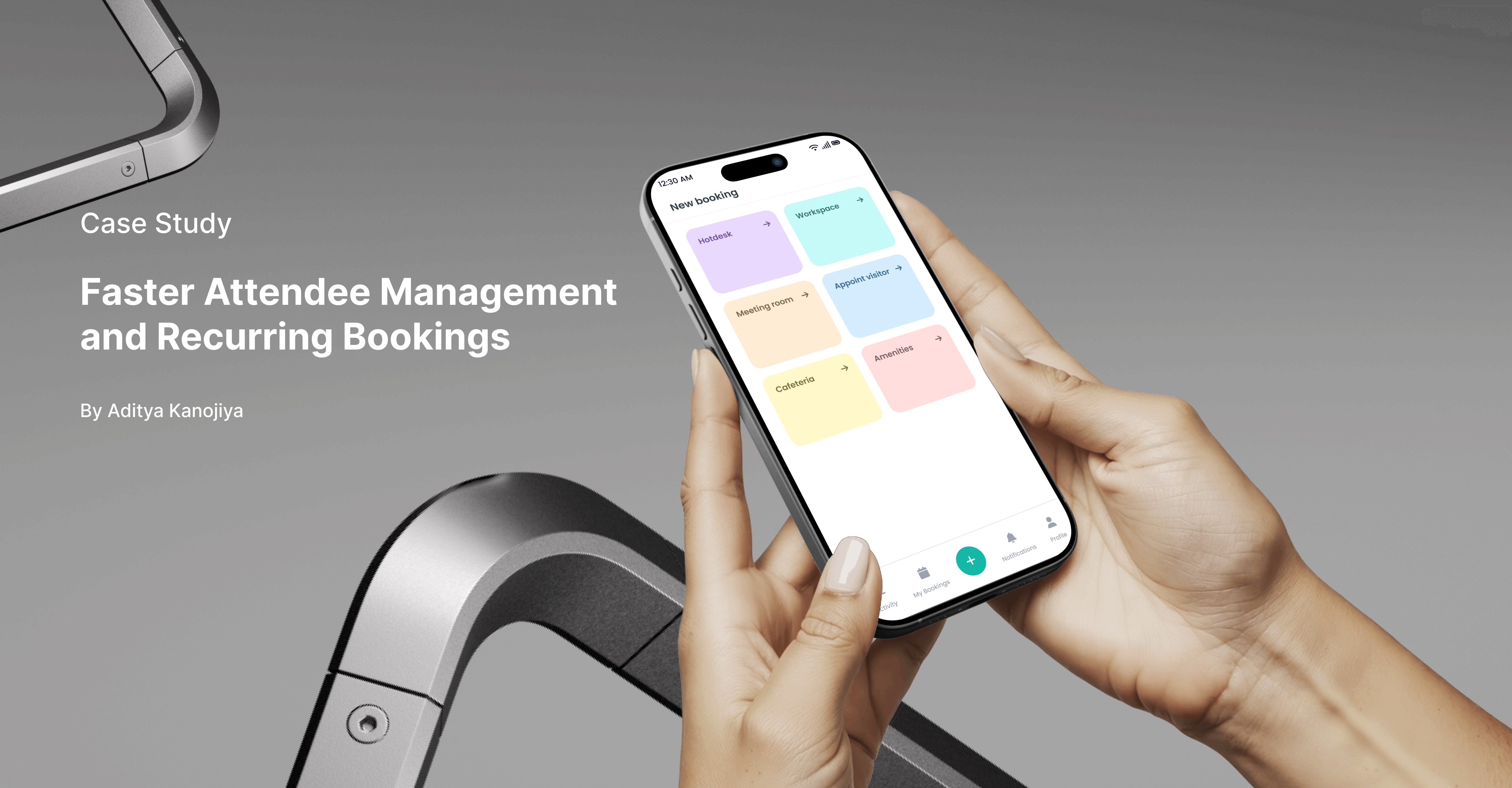
MeetSpot is a workspace management solution designed to optimize office resources such as meeting rooms, desks, cafeterias, and parking. The mobile app helps facility managers, HR leaders, and employees streamline operations, reduce costs, and maximize space utilization. This case study focuses on redesigning the meeting room booking flow to improve speed, usability, and communication.
🚨Problem Statement
The existing booking flow is inefficient and repetitive:
Manually adding attendees one by one is slow and often skipped, causing communication gaps.
Recurring meetings require re-entering the same details (agenda, attendees, description) every time, wasting effort and causing errors.
The goal was to create a faster, smarter booking experience that supports both one-time and recurring meetings.
📊User Research & Discovery
Methodology: User interviews with employees and team leads who frequently schedule meetings.
Insights:
Users dislike repetitive attendee entry.
Missed notifications occur because attendees aren’t always added.
Weekly recurring meetings are common, but re-entering details every time is frustrating.
Users want confirmation that bookings were successful and accurate.
🎯Design Goals
Reduce repetitive effort in attendee management.
Simplify recurring meeting creation.
Improve communication by ensuring all participants are included.
Provide clear confirmation and reassurance after booking.
Maintain a seamless flow for one-time bookings.
🧭Design Process
Research & Analysis – Identified user pain points through interviews.
Information Architecture – Focused on simplifying booking details flow.
Wireframes – Explored attendee grouping and recurrence options.
Visual Design – Applied clean, mobile-first UI with intuitive hierarchy.
Prototyping – Built interactive mockups in Figma.
🎨Solution & Final Design
Attendee Management:
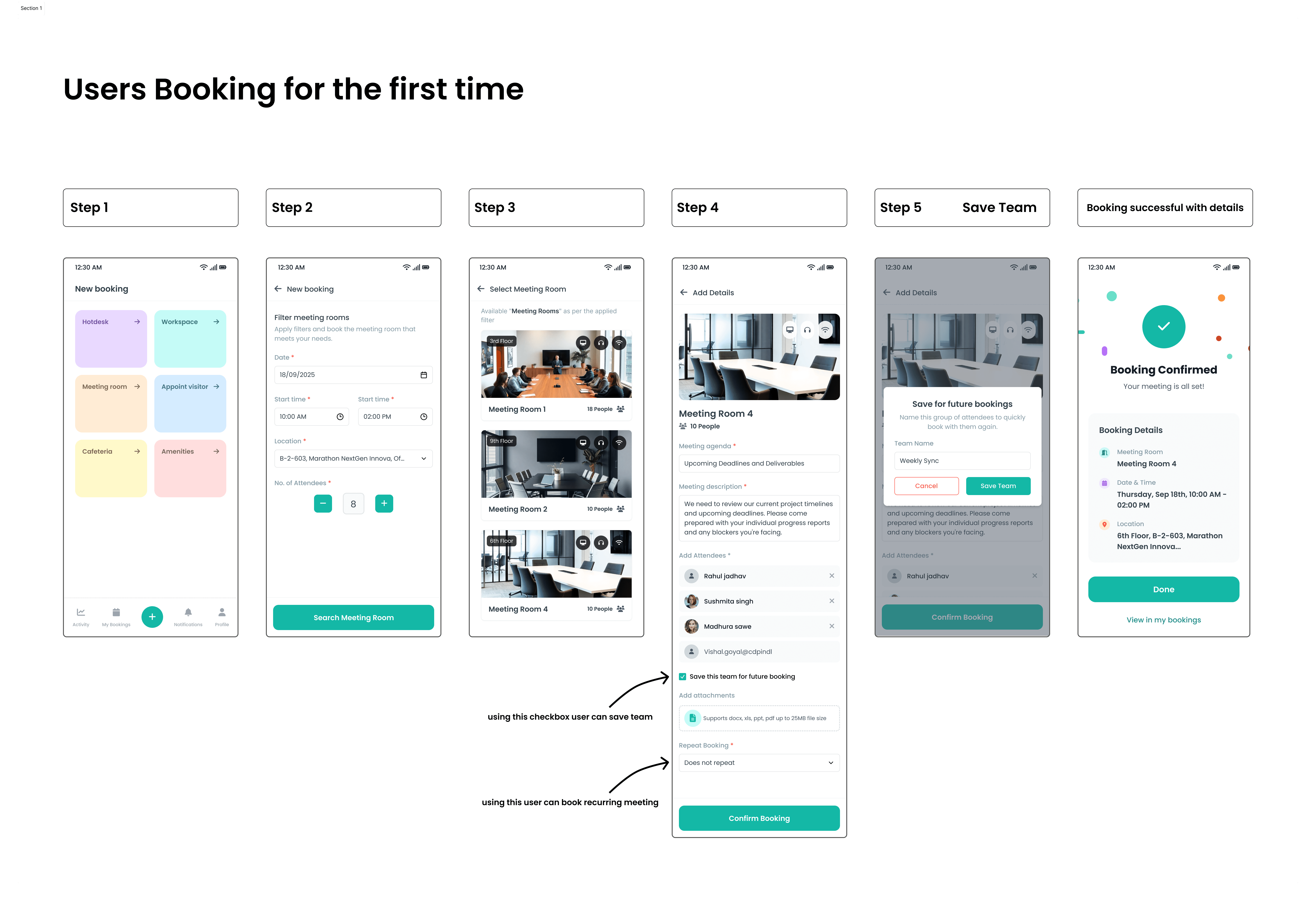
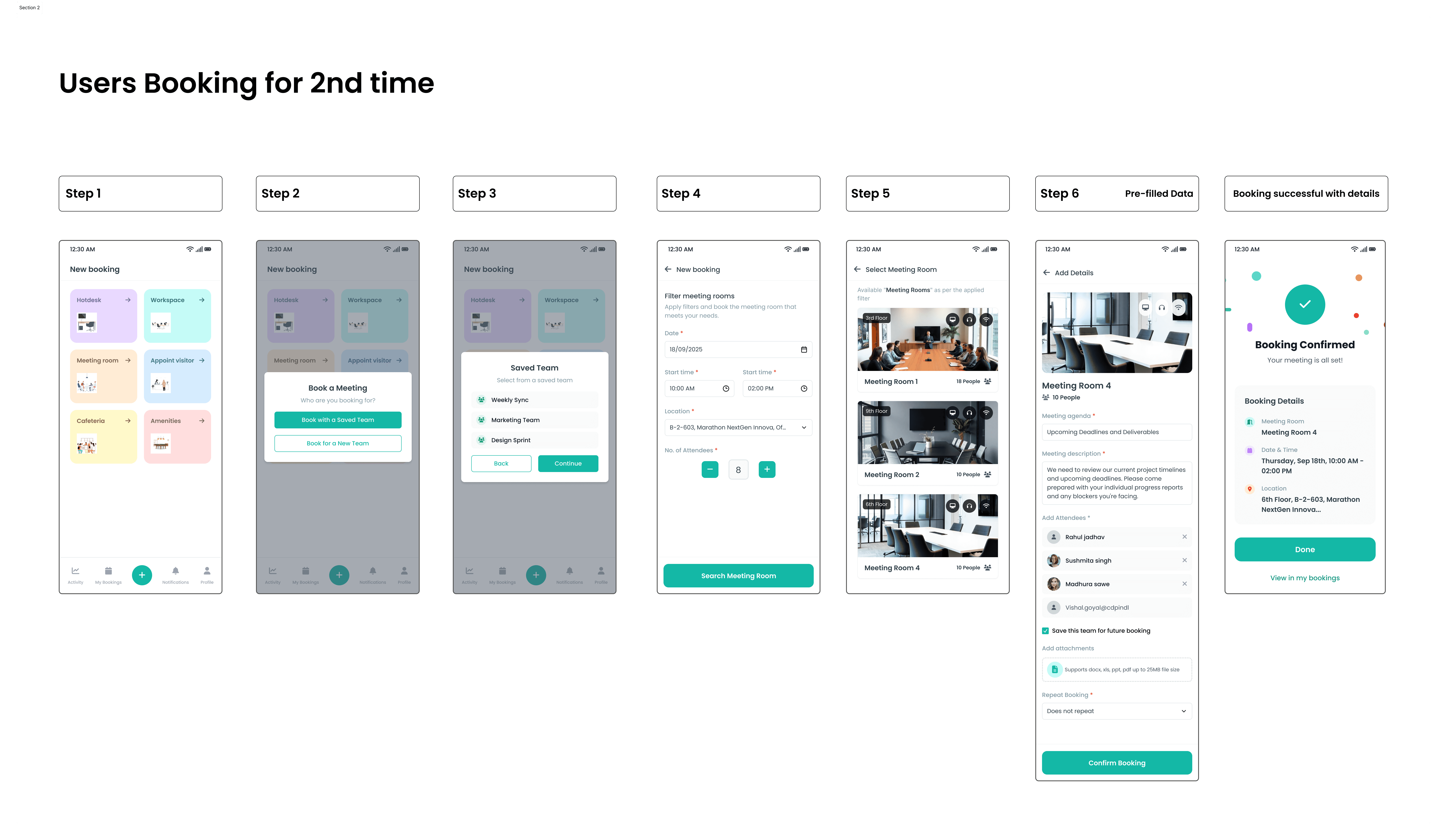
Option to book with a saved team or create a new team.
Checkbox to save this team for future bookings.
Recurring Meetings:
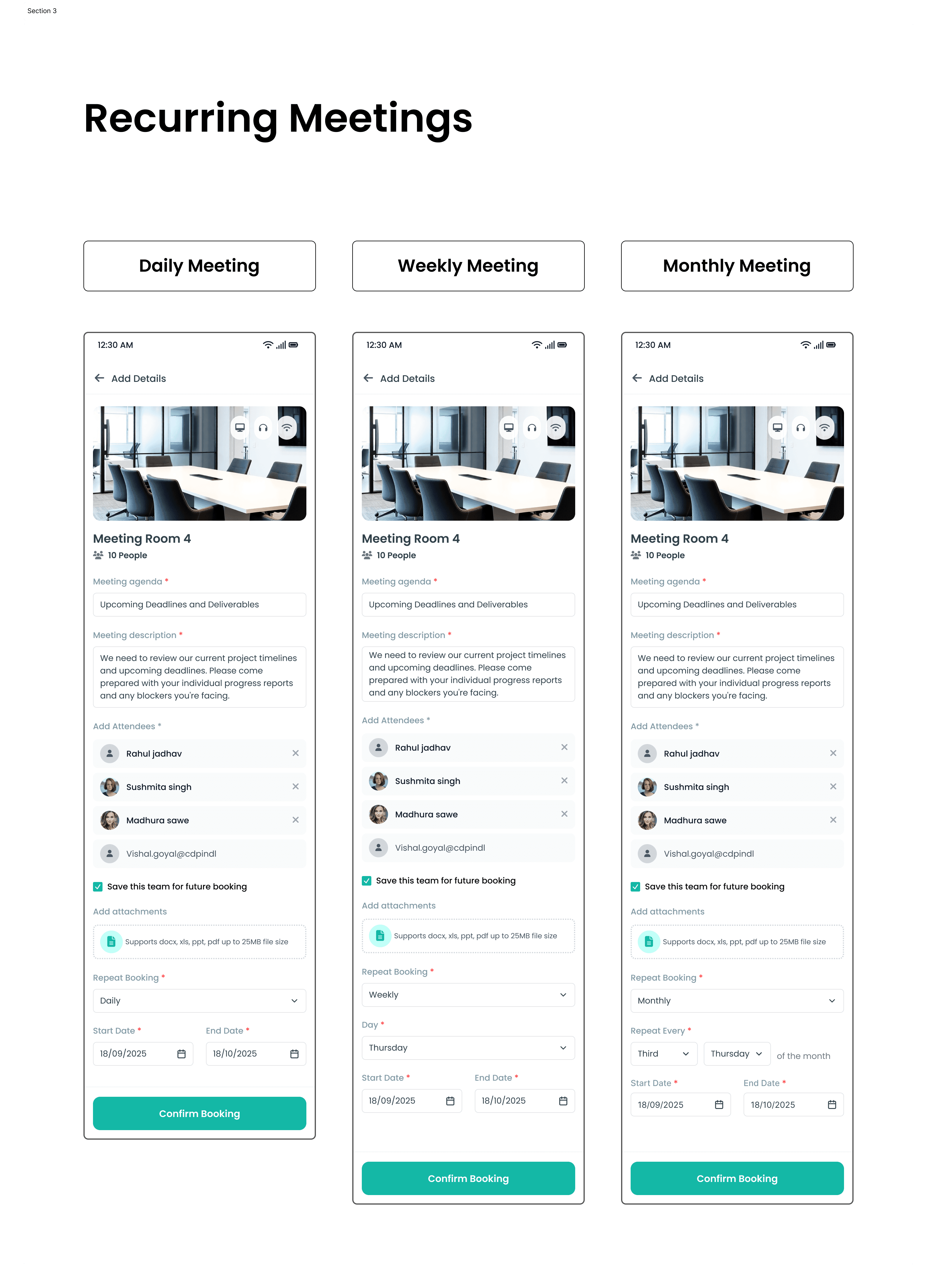
Added “Repeat Booking” section (Daily / Weekly / Monthly).
Monthly option supports nth weekday (e.g., 2nd Friday).
End Date ensures controlled recurrence.
Confirmation & Feedback:
Enhanced success screen shows full booking details (Room, Date, Location).
Options to Done or View in My Bookings.
If you prefer visual content over text, here’s a quick prototype
✅Results and Impact
Booking time for recurring meetings reduced significantly.
Users can add entire teams in seconds, improving communication.
Reduced missed notifications by ensuring attendees are consistently included.
Overall flow feels more intelligent and less repetitive, improving adoption potential.
📚Learnings
Anticipating user needs (like recurring meetings) can drastically improve usability.
Small design tweaks (e.g., save team option) can create big time savings.
Balancing simplicity for one-time bookings with advanced options was critical.
Testing with real users validated that efficiency and communication were equally important.